 Inlet
InletPostgreSQL client for Mac
Browse and edit tables with every change held until you save it, read EXPLAIN plans as a tree, and see which query is blocking yours. Production connections open read-only.
Free for personal use · macOS 26 Tahoe or later · Apple silicon and Intel
Tested on PostgreSQL 14 to 18
12 and 13 work too, except that Activity can’t show how long a lock has been waited for, which those versions don’t record.
What you can do with PostgreSQL
Edits you review first
Changed cells, new rows and deletions wait until ⌘S saves them in one transaction. Review shows the exact SQL first.
Plans drawn as a tree
⌘E draws EXPLAIN as a tree and ⌥⌘E runs EXPLAIN ANALYZE, with the slowest step and badly misestimated row counts marked.
Activity and locks
Sessions, locks and which query blocks which, live. With Pro, cancel a query or end a session from the list.
Schema compare
Compare two schemas and see the differences as SQL.
Structure changes that warn
Edit columns, indexes and constraints with the DDL in view, and a warning when a change would rewrite or scan the table.
Backups and COPY
pg_dump and pg_restore are built in for backups and restores, and export and import use COPY.
Roles and grants
Who can log in and what each role may do, and a health check of the database.
Everything in the schema
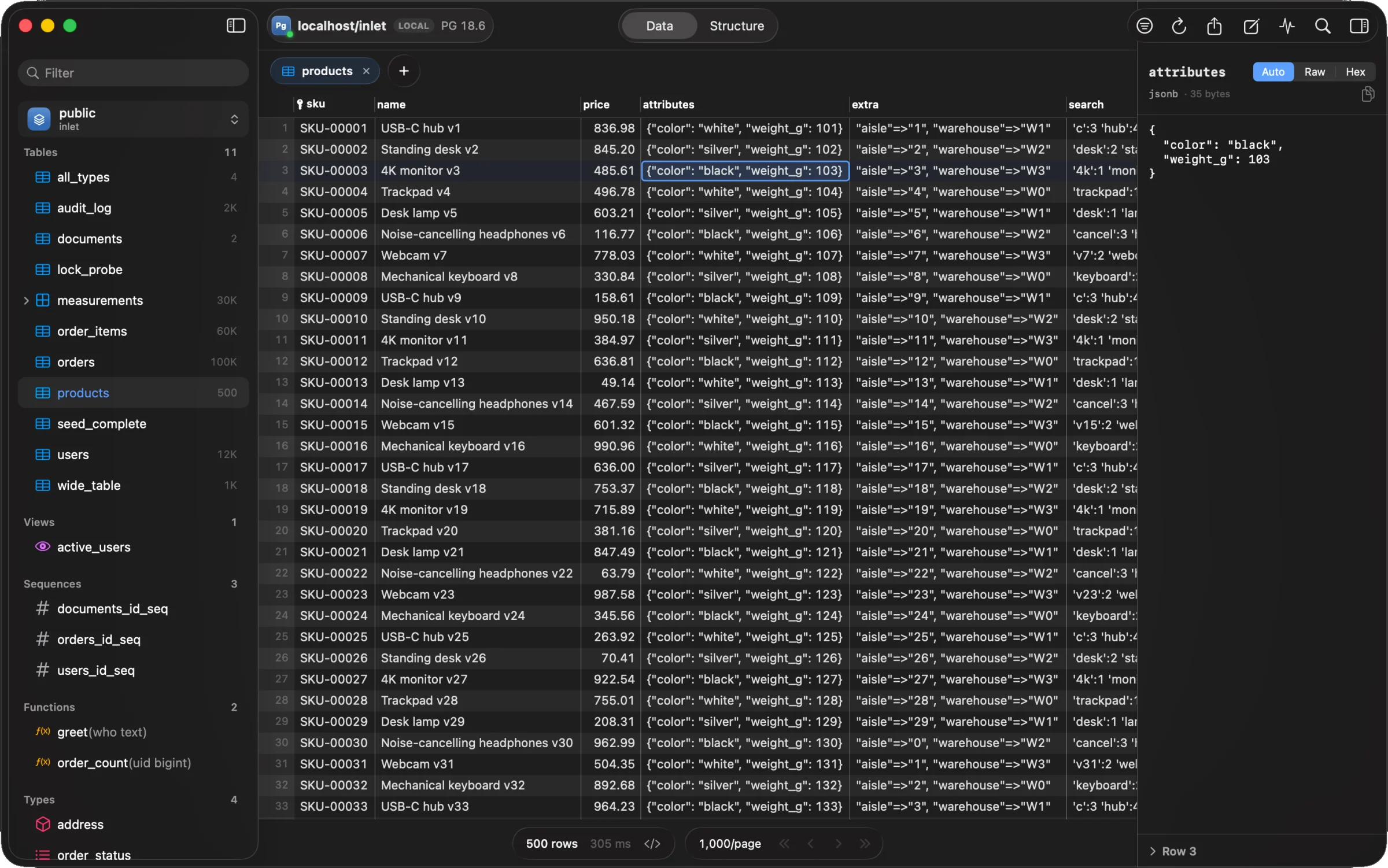
Tables, views, functions, types, sequences, partitions and extensions in the sidebar; jsonb pretty-printed in the inspector.
Ask ClaudePro
With your own Anthropic key, ⌘L writes SQL, fixes a failed statement or explains a plan. It sends the schema, never rows.
Safe on production
Nothing changes until you say so, and nothing you save overwrites a change you never saw. How Inlet keeps data safe
Production opens read-only
Inlet sets the session read-only, so PostgreSQL itself refuses writes. Unlock it for ten minutes when you mean to change something. Through a transaction-mode pooler such as PgBouncer, a session setting can be lost.
Dangerous statements ask first
On a protected connection, DROP, TRUNCATE, and DELETE or UPDATE without WHERE say what they’ll do and wait for you.
No lost updates
Every UPDATE checks the row is still what you loaded. If someone changed it, nothing is saved and you see their version beside yours.
Connecting
Paste a connection URL and Inlet fills in the form, or bring the connections you already have.
Every sslmodeverify-full checks against the certificates your Mac trusts, including ones in your Keychain. A custom CA, client certificate and key too.
SSH tunnelsProThrough the ssh on your Mac, so ~/.ssh/config, the SSH agent and 1Password’s agent work as they do in Terminal.
Import what you haveFrom TablePlus, ~/.pgpass, pg_service.conf, or a .env file’s DATABASE_URL.
postgres://app@db.example.com:5432/shop?sslmode=verify-fullpostgresql://postgres.abcd:•••@aws-0-eu-west-2.pooler.supabase.com:5432/postgreshost=localhost port=5432 dbname=shop user=app
PostgreSQL errors, explained
55 PostgreSQL error messages, each reproduced on a real server: what it means, why it happens and the fix. Inlet links to them when they happen.
- password authentication failed for userThe server asked for a password and didn’t accept the one it got. Either the password is wrong, or the user doesn’t exist: PostgreSQL deliberately gives the same message for both.
- Connection refused: Is the server running on that host and accepting TCP/IP connections?Your client reached the machine, but nothing there was listening on that port, so the operating system refused the connection. The server isn’t running, you have the wrong port, or it only listens on other addresses.
- relation does not existPostgreSQL found no table, view or sequence with that exact name in the schemas it searched. Usually the name was created with capitals in double quotes, the table is in a schema that isn’t on your search_path, or you’re connected to a different database.
- duplicate key value violates unique constraintA row would give a primary key or unique column a value another row already has. If the clash is on an id you didn’t supply, the table’s sequence is behind the data (usually after an import) and needs moving past the highest id.
- column must appear in the GROUP BY clause or be used in an aggregate functionYour query groups rows, and one column in SELECT, HAVING or ORDER BY could have several different values within a group, so PostgreSQL won’t pick one for you. Add it to GROUP BY, wrap it in an aggregate, or group by the table’s primary key.
- current transaction is aborted, commands ignored until end of transaction blockAn earlier statement in this transaction failed, and PostgreSQL refuses everything else until the transaction ends. Find that first error, run ROLLBACK, and start again.
- deadlock detectedTwo transactions were each waiting for a lock the other held, so PostgreSQL cancelled one of them. Retry the cancelled transaction, and make your code take locks in the same order everywhere so it doesn’t happen again.
- no pg_hba.conf entry for hostNo line in the server’s pg_hba.conf matches your connection, so the server turns it away before it asks for a password. Add a rule for the host, user, database and encryption named in the message, or connect the way an existing rule expects (often with TLS).
- sorry, too many clients alreadyEvery connection slot on the server is in use, so it turns new ones away. Find which clients hold them, close the idle ones, and make your connection pools fit inside max_connections.
PostgreSQL guides
- Connect to Amazon Aurora PostgreSQL from your MacConnect to the cluster endpoint to read and write, or the reader endpoint for read-only work. The cluster must be reachable from your Mac (public endpoint and a security group rule) or through a bastion host.
- Connect to Amazon RDS for PostgreSQL from your MacCopy the endpoint and port from the Connectivity & security tab. Your Mac can reach the instance only if it’s publicly accessible and its security group allows your IP; otherwise go through a bastion host.
- Connect to Azure Database for PostgreSQL from your MacCopy the server name and admin login from the server’s Overview page, add your IP to the firewall rules on the Networking page, and connect on port 5432 with TLS, which the server requires by default.
- Connect to Crunchy Bridge from your MacCopy the connection string from the cluster’s Connection tab. TLS is always required; to check the server, download your team’s certificate and use sslmode=verify-full.
- Connect to DigitalOcean Managed PostgreSQL from your MacThe cluster’s Overview page has a Connection Details section with the host, port 25060, user doadmin and database defaultdb. Add your Mac to the trusted sources and connect with TLS.
- Connect to Google Cloud SQL for PostgreSQL from your MacEither add your IP address to the instance’s authorized networks and connect to its public IP with TLS, or run the Cloud SQL Auth Proxy, which needs no allowlist, and connect to 127.0.0.1.
- Connect to Heroku Postgres from your MacGet the current connection URL with heroku pg:credentials:url (or the Credentials tab) and connect with TLS, which Heroku requires. The credentials can change, so fetch them again when a saved connection stops working.
- Connect to Homebrew PostgreSQL from your MacHomebrew’s PostgreSQL listens on localhost port 5432. Its superuser is your macOS user name, not postgres, there’s no password, and the database to connect to is postgres.
- Connect to Neon from your MacClick Connect in the Neon Console, pick the branch, database and role, and copy the string. For a GUI client, turn connection pooling off to get the direct host; TLS is always required.
- Connect to Postgres.app from your MacPostgres.app listens on localhost port 5432. Connect as your macOS user name to the database of the same name, with no password; the first time a new app connects, Postgres.app asks you to allow it.
- Connect to PostgreSQL in Docker from your MacPublish the container’s port 5432 with -p, then connect to localhost on that port as postgres (or POSTGRES_USER) with the POSTGRES_PASSWORD you set. The password only applies the first time the data directory is created.
- Connect to Railway Postgres from your MacRailway databases are private by default. Either add Public Access in the service’s Networking settings and use DATABASE_PUBLIC_URL, or run railway connect postgres --tunnel-only and connect to the local tunnel.
- Connect to Render Postgres from your MacUse the database’s external URL, from the Connect menu or its Info page. Render requires TLS on external connections and, by default, accepts them from any IP address with valid credentials.
- Connect to Supabase Postgres from your MacClick Connect at the top of your Supabase project to get the connection string. From a Mac on an IPv4-only network, use the session pooler: port 5432, user postgres.<project-ref>.
- Is this migration safe?Which lock each ALTER TABLE takes, and whether it rewrites the table.
- PostgreSQL lock modesWhat each lock blocks, and what takes it.
- EXPLAIN, explainedEvery node of a PostgreSQL plan, and what to do when it’s slow.
- EXPLAIN visualizerPaste a plan and see where the time goes, in your browser.
- psql commandsThe backslash commands, and what they do in a GUI.
- PostgreSQL connection stringsEvery part of a postgres:// URL, with a checker.
Coming from another app?
What’s different, side by side, and how to bring your connections across.
- Inlet vs PosticoInlet and Postico 2 compared for PostgreSQL on a Mac: price, engines, backups, roles, monitoring and read-only connections, and how to move over.
- Inlet vs pgAdminInlet and pgAdmin 4 compared for PostgreSQL on a Mac: price, native vs web-based, admin tools, SSH, production safety, and moving your servers over.
- Inlet vs TablePlusInlet and TablePlus side by side: price, platforms, engines, production safety and PostgreSQL tools, and how to import your TablePlus connections.
- Inlet vs DataGripInlet and JetBrains DataGrip compared on a Mac: licences for work and personal use, engines, IDE features, data collection, and how to move connections.
- Inlet vs DBeaverInlet and DBeaver compared on a Mac: price, editions, engines, Java vs native, MongoDB, schema compare and production safety, and how to switch.
Inlet for PostgreSQL
Free for personal use, with every safety feature. For work, Pro is $49 once, with a year of updates.
Version 0.1.0 · macOS 26 Tahoe or later · Apple silicon and IntelQuestions
Something else? Write to hello@inletdb.com.
Is Inlet free for PostgreSQL?
It’s free for personal use: personal projects, students and open source, with every engine and every safety feature. For work, Pro is $49 once, with a year of updates, and a new install has 14 days of Pro to try it.
Does it work with Supabase, Neon and Amazon RDS?
Yes. Hosted PostgreSQL connects like any other: paste the URL the provider gives you. There are step-by-step guides for Supabase, Neon, RDS, Aurora, Azure, Cloud SQL, Crunchy Bridge, Heroku, Render, Railway and DigitalOcean.
Which PostgreSQL versions does it support?
PostgreSQL 14 to 18 are tested. 12 and 13 work too, except that Activity can’t show how long a lock has been waited for.
Do I need psql or libpq installed?
No. Everything Inlet needs to connect is built in, and so are pg_dump and pg_restore for backups.