
The Mac way to work with databases
Browse, query and change your data fast, see exactly what will run before it does, and point it at production without holding your breath.
Free · Version 0.1.0 · macOS 26 Tahoe or later · Apple silicon and Intel
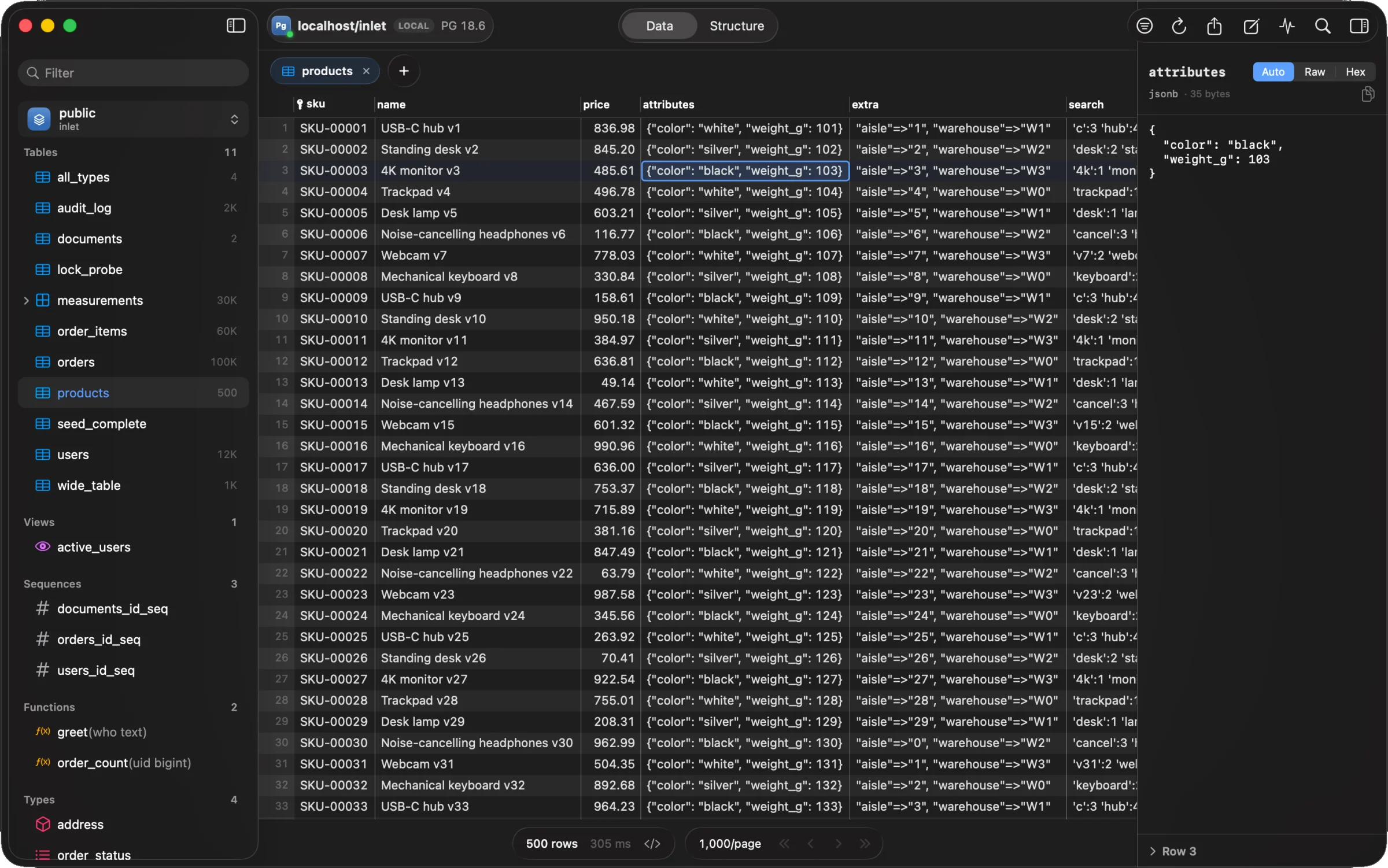
Fast to browse,
easy to query
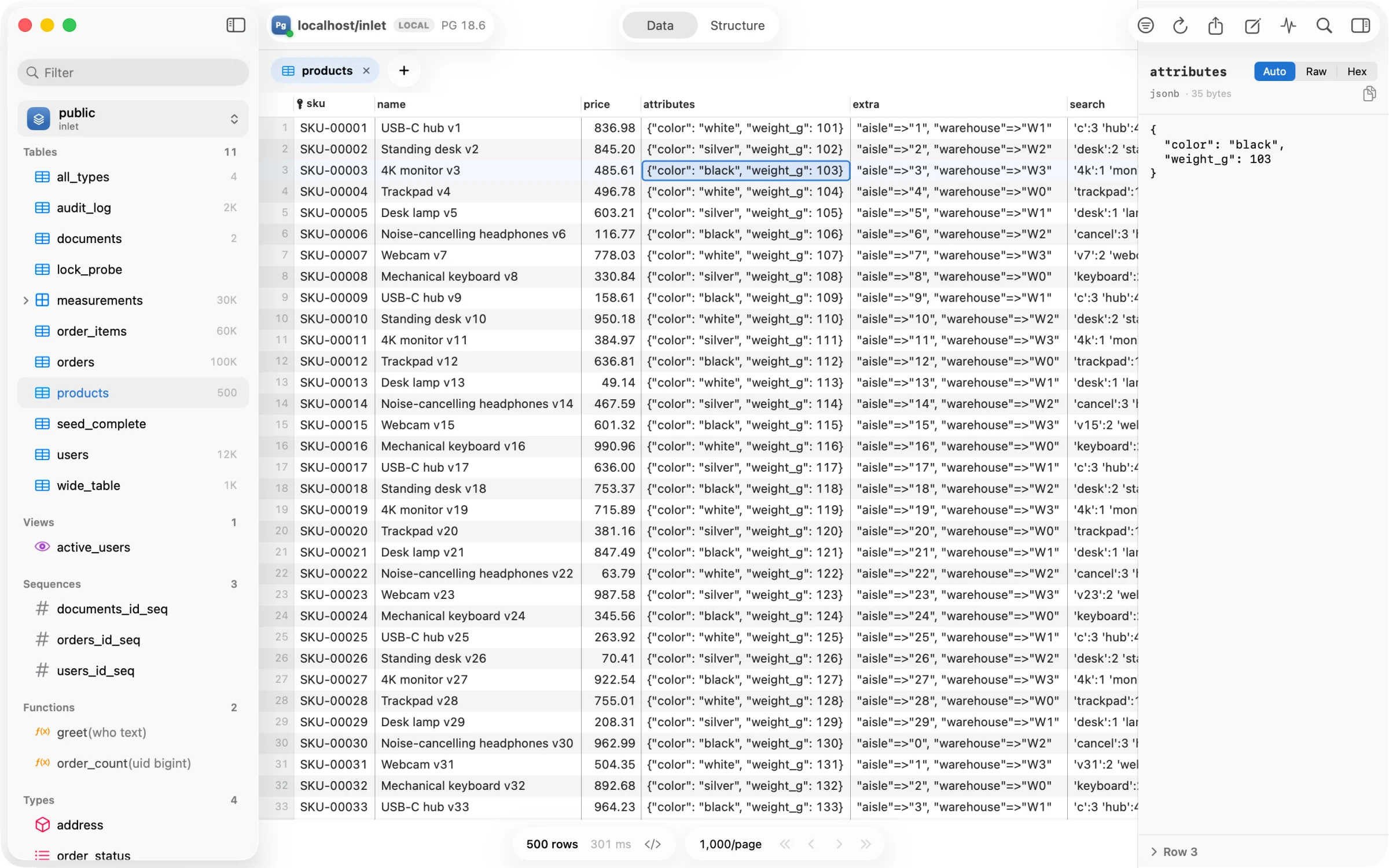
Rows stream in as the server sends them and scroll at your display’s refresh rate. Open any value in the inspector, with JSON pretty-printed and binary as hex. Filter, sort and follow foreign keys without writing a query, and when you do write one, the editor knows your schema.
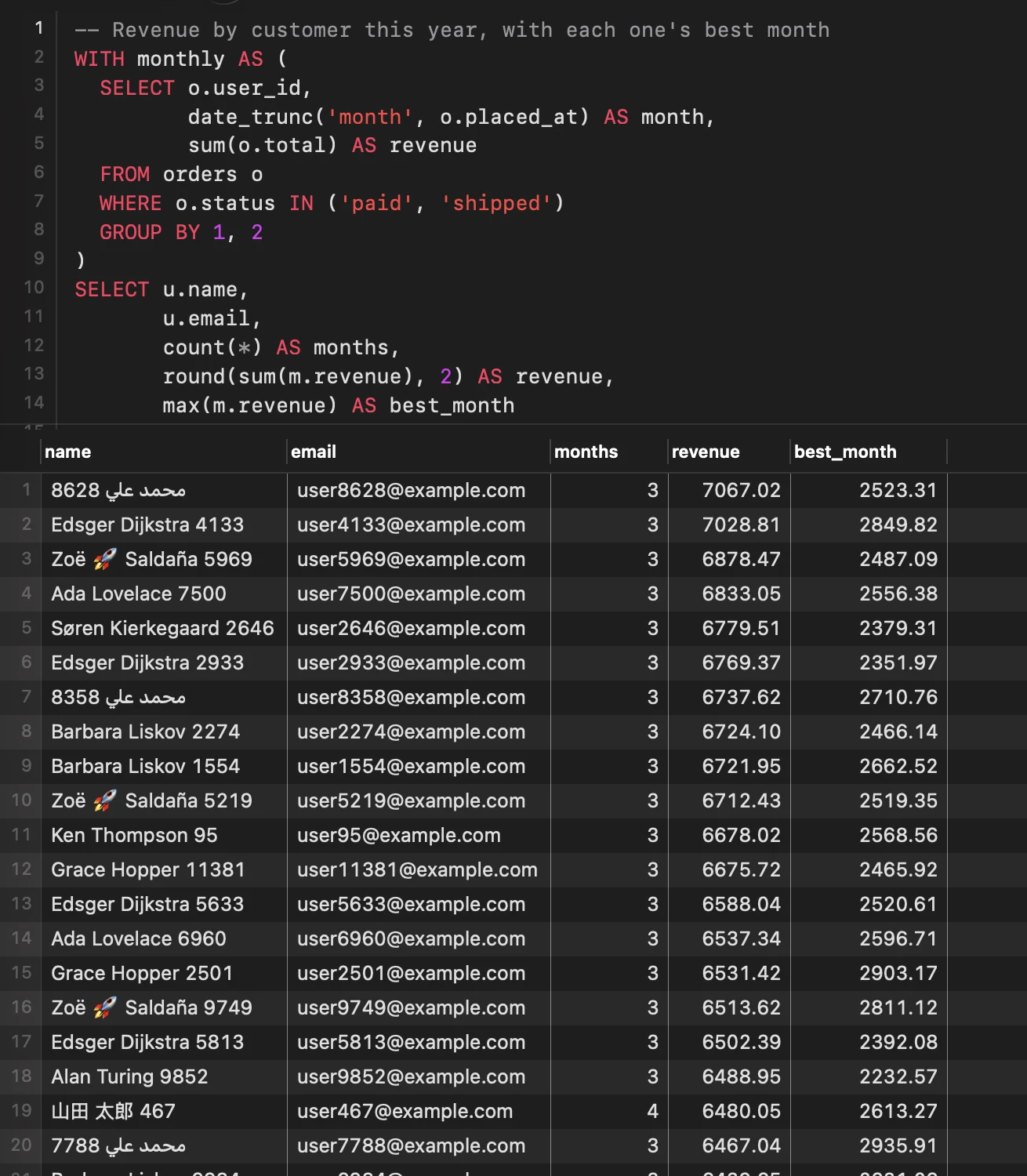
An editor that knows your schema
Completion for tables, columns, joins and functions; results streamed per statement; errors pinned to where they are. ⌘↵ runs the statement under the cursor, ⌘. cancels it on the server.
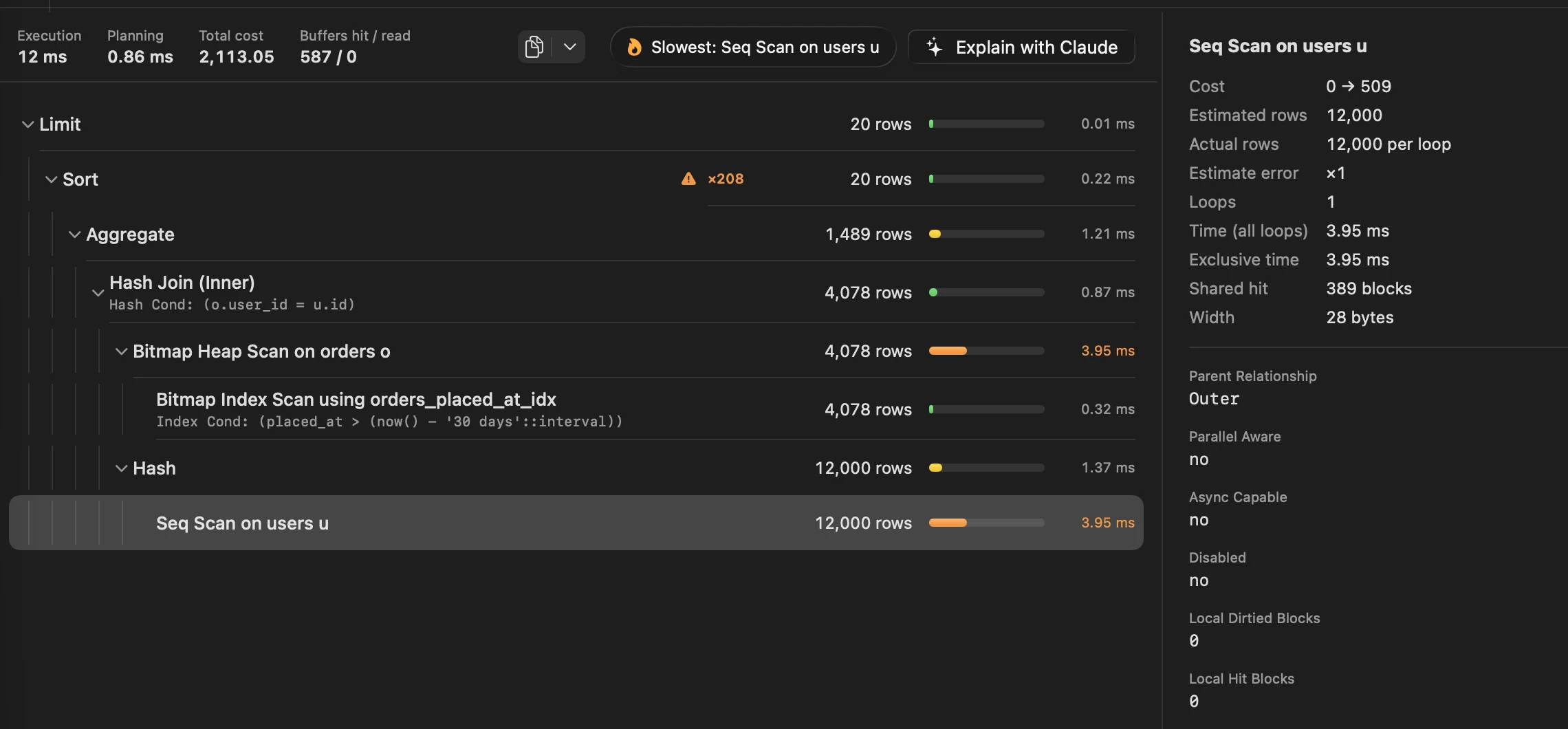
Plans you can read
⌘E draws EXPLAIN ANALYZE as a tree: where the time went, which estimate was off and by how much, and the slowest step called out. Ask Claude about it with your own key, if you like.
Safe by default
Nothing runs until you commit
Edit cells, add and delete rows: each change is staged and marked, so colour is never the only sign. ⌘S commits them in one transaction.
Conflicts caught, not overwritten
Every update checks the row is still what you loaded. If someone changed it, nothing is saved, and Inlet shows you their version beside yours.
Production stays read-only
Connections tagged production open locked, with a red strip along the window. Unlock for ten minutes; dangerous statements ask you to type the table’s name.
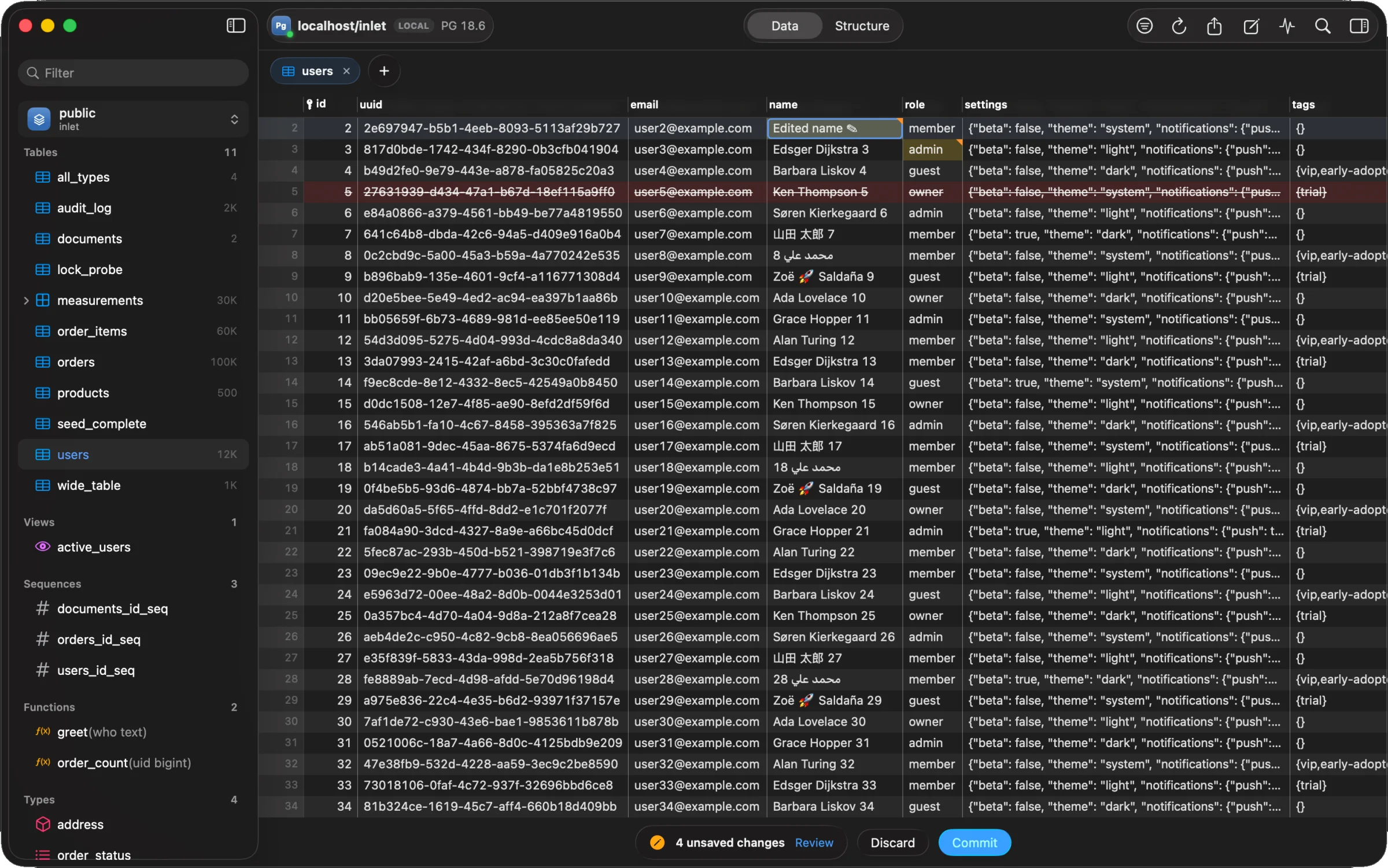
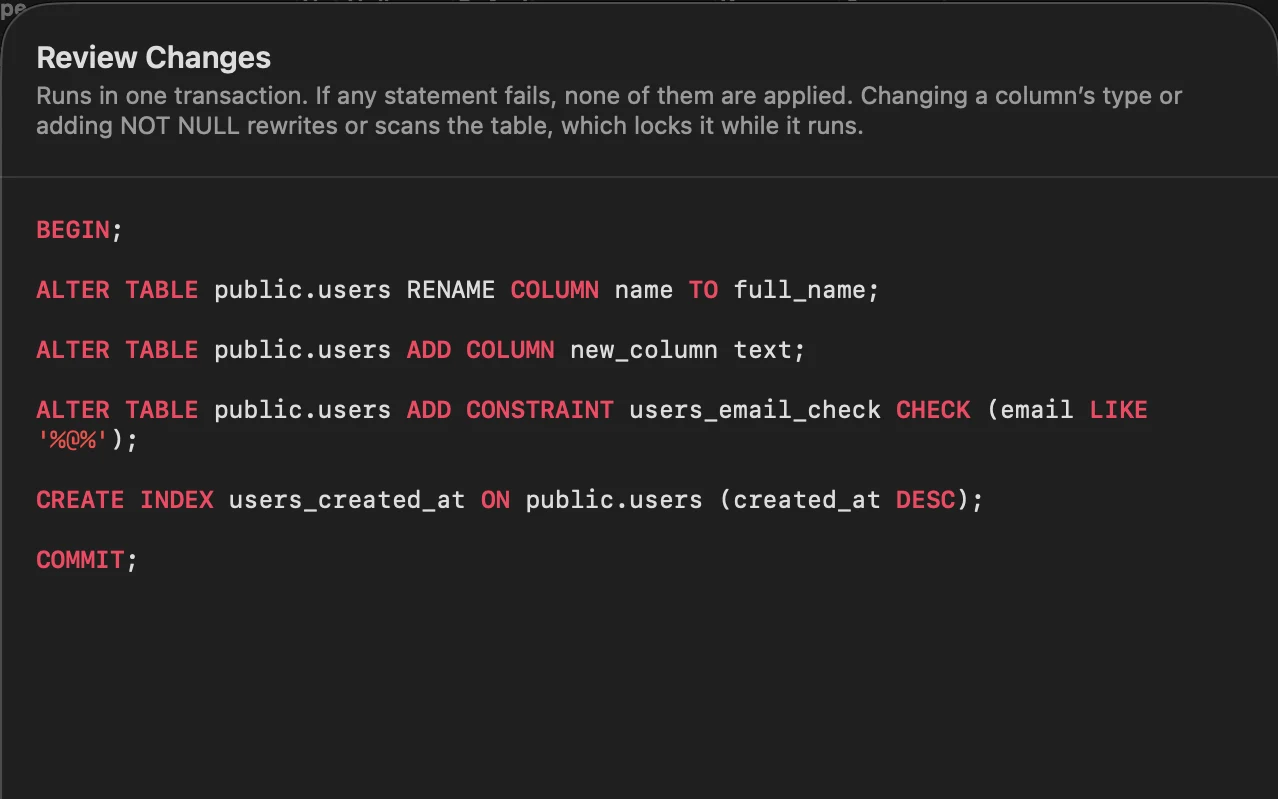
See the SQL before it runs
Review shows the exact SQL that will reach the server, in the transaction it runs in. Copy it into a migration, or commit it from there.
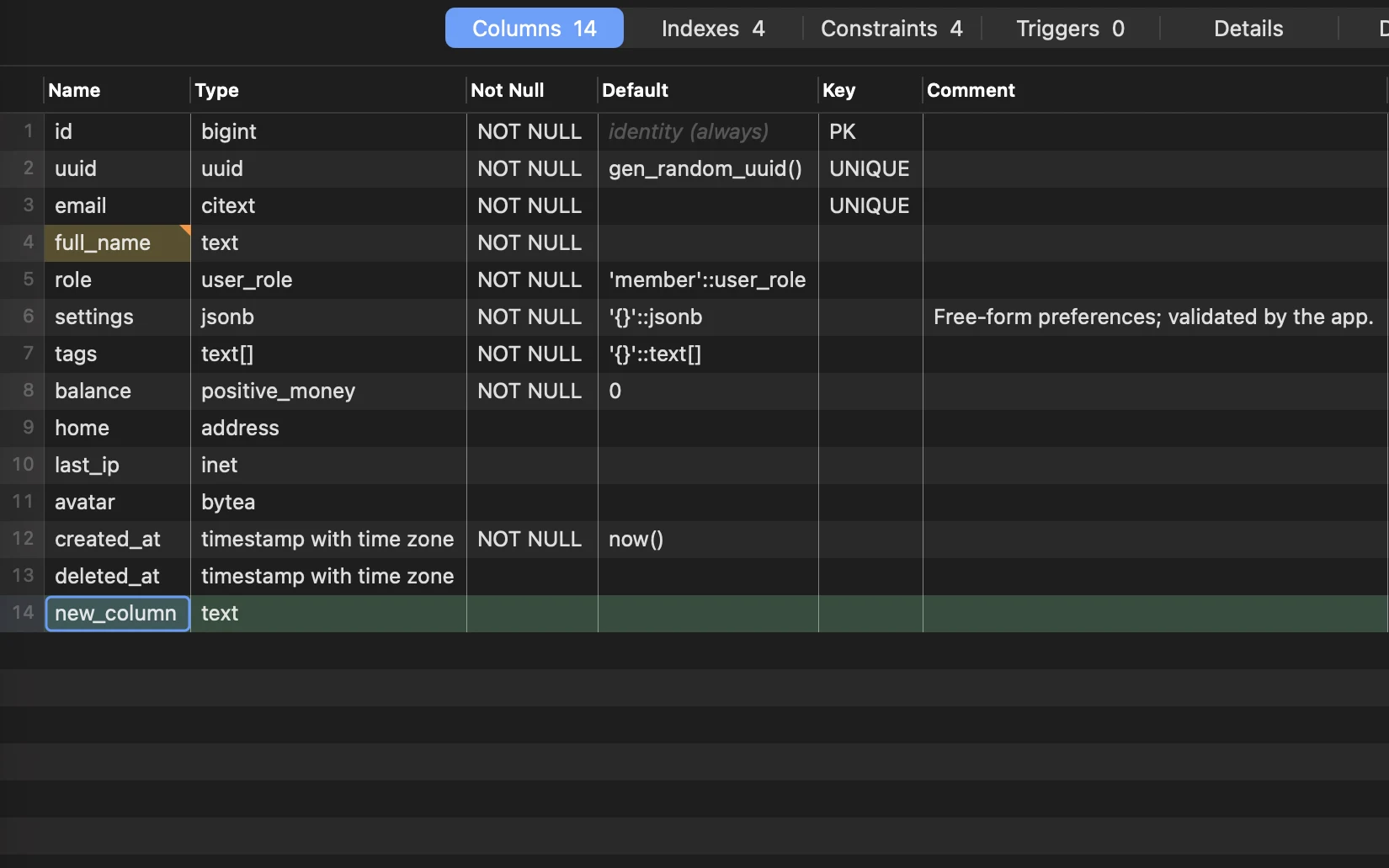
Structure without hand-written DDL
Rename and add columns, change types, indexes and constraints. PostgreSQL changes go in one transaction, MySQL’s in one ALTER, and SQLite’s rebuild keeps every row, index and trigger.
Every engine, its own way
One app, four families of database, and none of them flattened into the lowest common denominator. Each speaks its own dialect, shows its own plan and keeps its own tools.
PostgreSQL
- PostgreSQL 14 to 18, local or hosted
- jsonb, arrays, enums, ranges, domains, partitions
- Activity, locks, roles and grants, health checks
- TLS verify-full, SSH tunnels, .pgpass and pg_service.conf
MySQL & MariaDB
- MySQL 8.4 and MariaDB 11.4, through a native driver
- Sessions, locks and statement digests
- Users, roles and privileges
- Structure changes in one ALTER TABLE
SQLite
- Open a file, or drop it on the Welcome window
- Attached databases as schemas
- Tables rebuilt the way SQLite documents it
- A sample music store, one click away
MongoDB
- mongodb:// and mongodb+srv:// (Atlas)
- Collections browse as rows, filters typed by field
- Edits by _id with conflict checks
- Query tabs in mongosh’s syntax
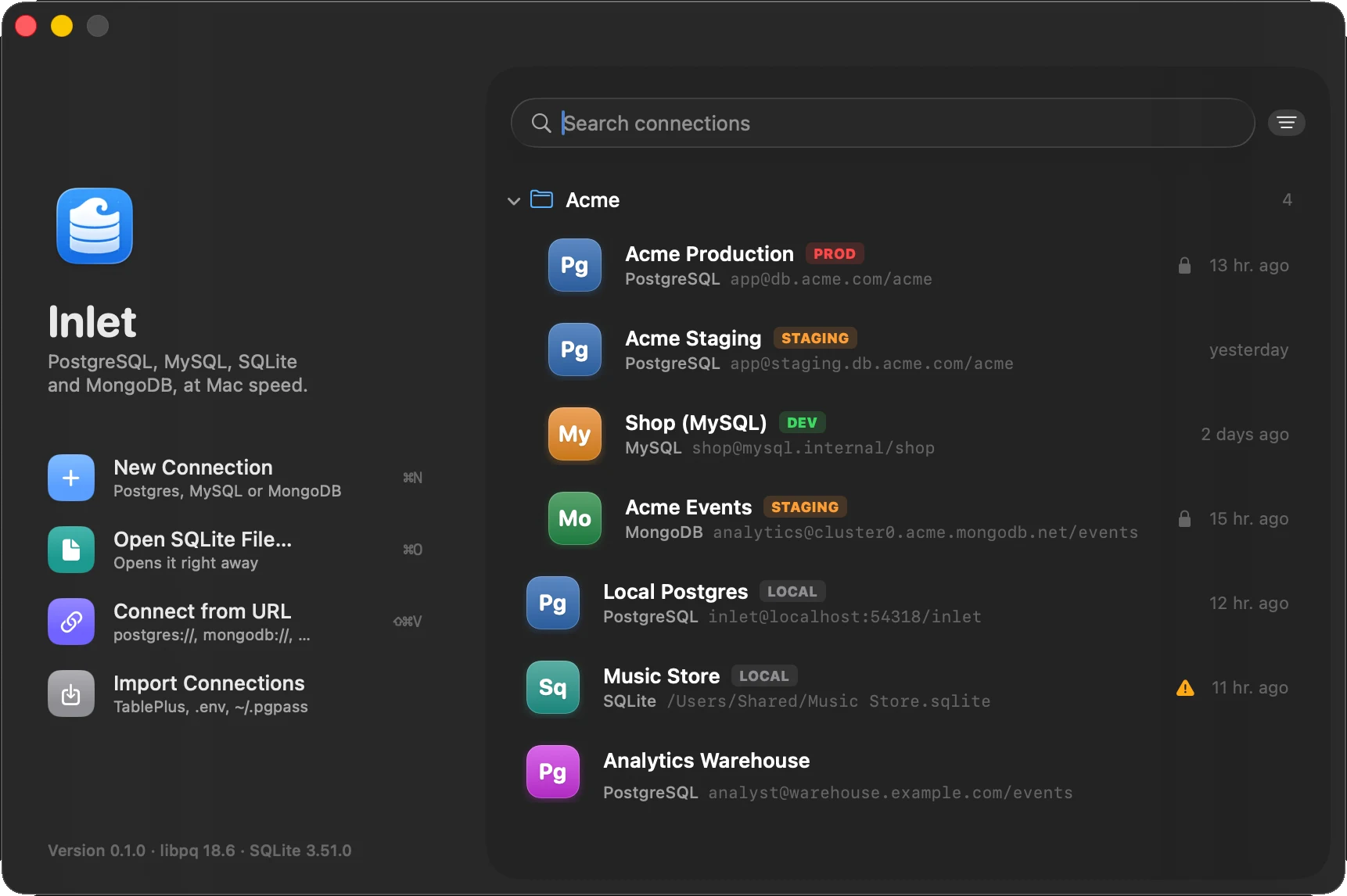
All your connections, in one place
Group them in folders, colour them, tag production. Paste a URL, or bring them over from TablePlus, a .env file, .pgpass or pg_service.conf. Passwords go to your Keychain and nowhere else.
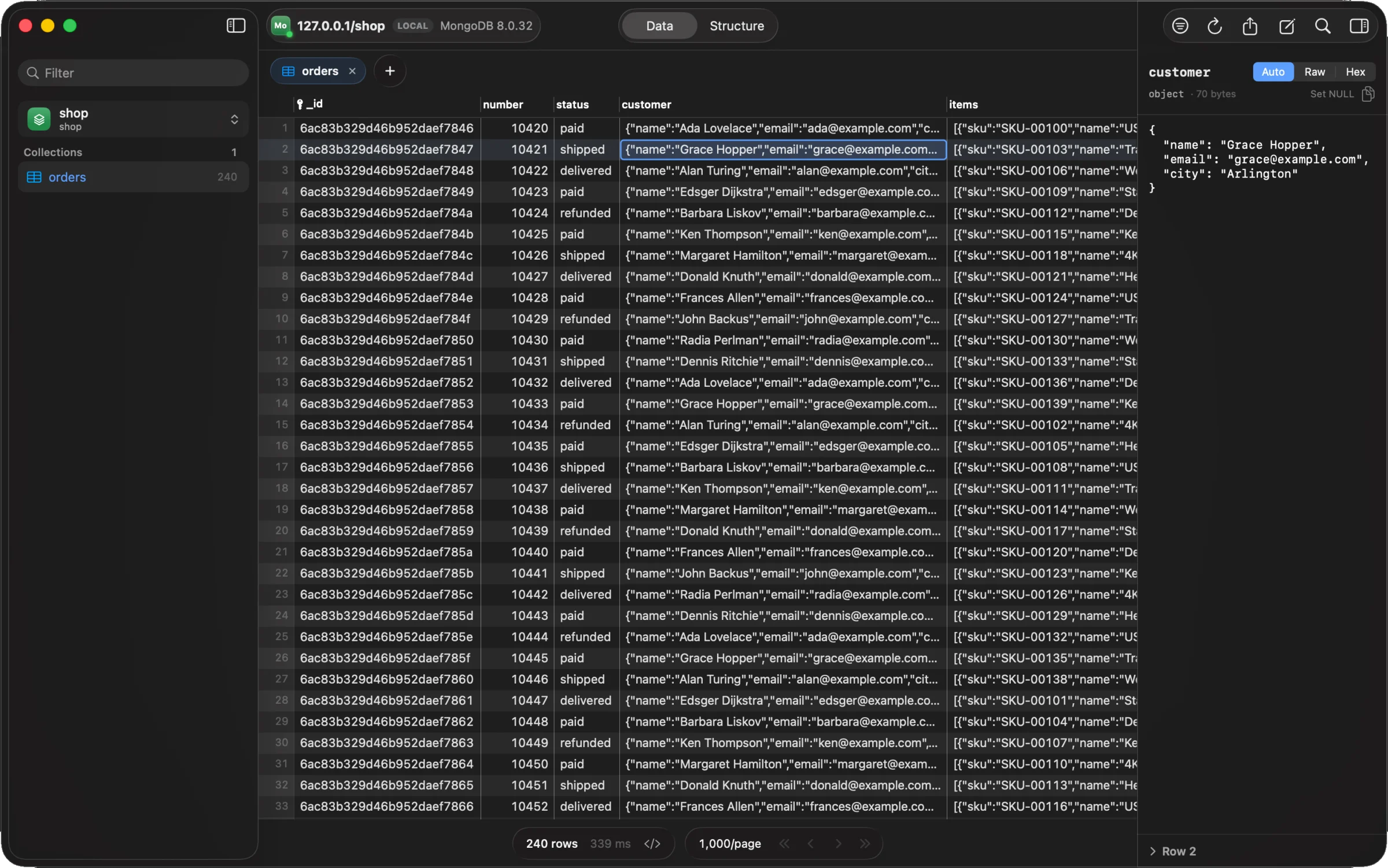
MongoDB, with the grid you already know
Documents read as rows, fields typed by what’s in them; nested documents and arrays open as JSON. Edit a cell and Inlet writes the $set, keeping ObjectIds, dates and Longs exactly as they were.
See inside your database
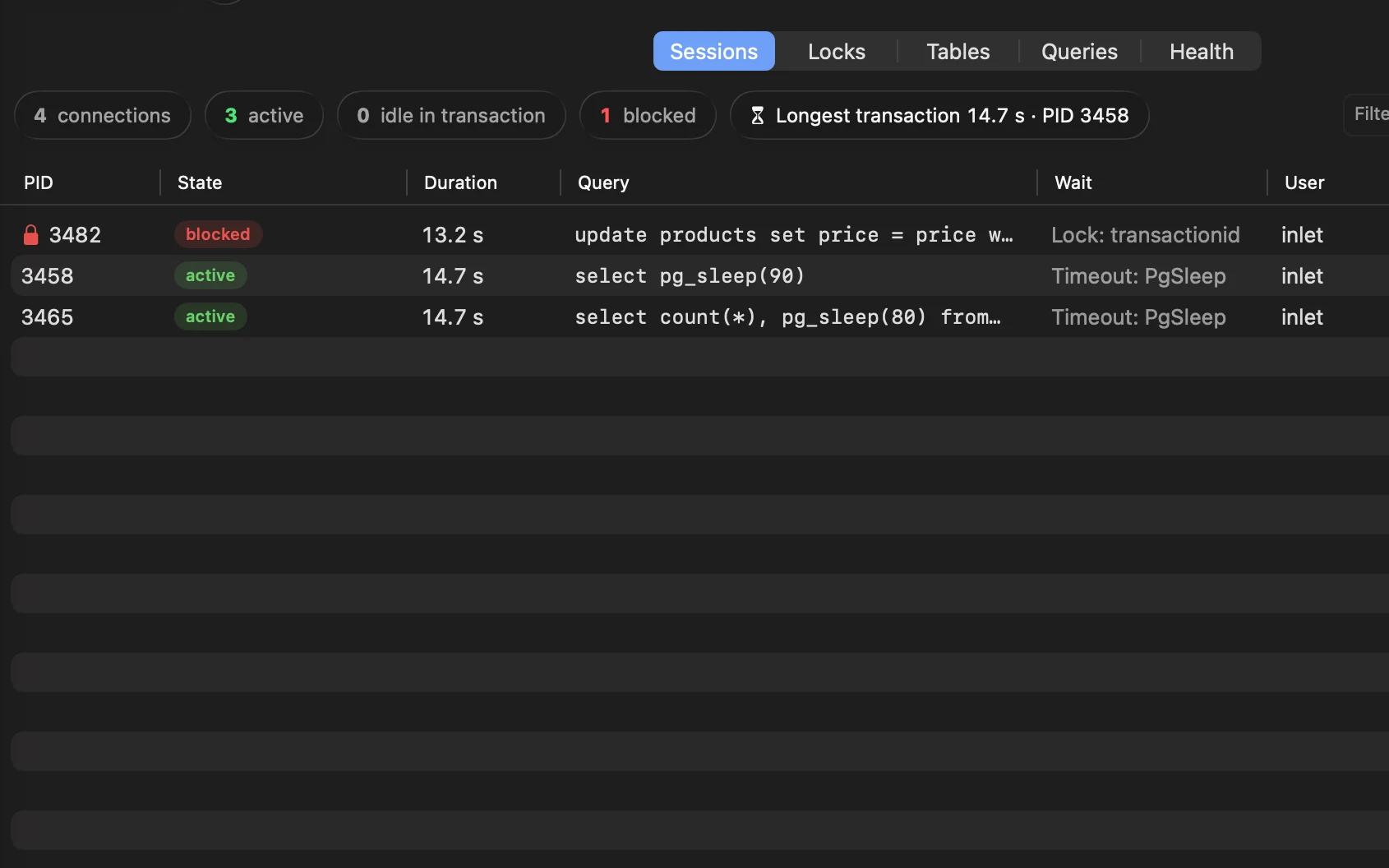
Activity and locks
Who’s connected, what they’re running and who is blocking whom, refreshed live. Cancel a query or end a session from the list; a banner tells you when your own tab is waiting on someone’s lock.
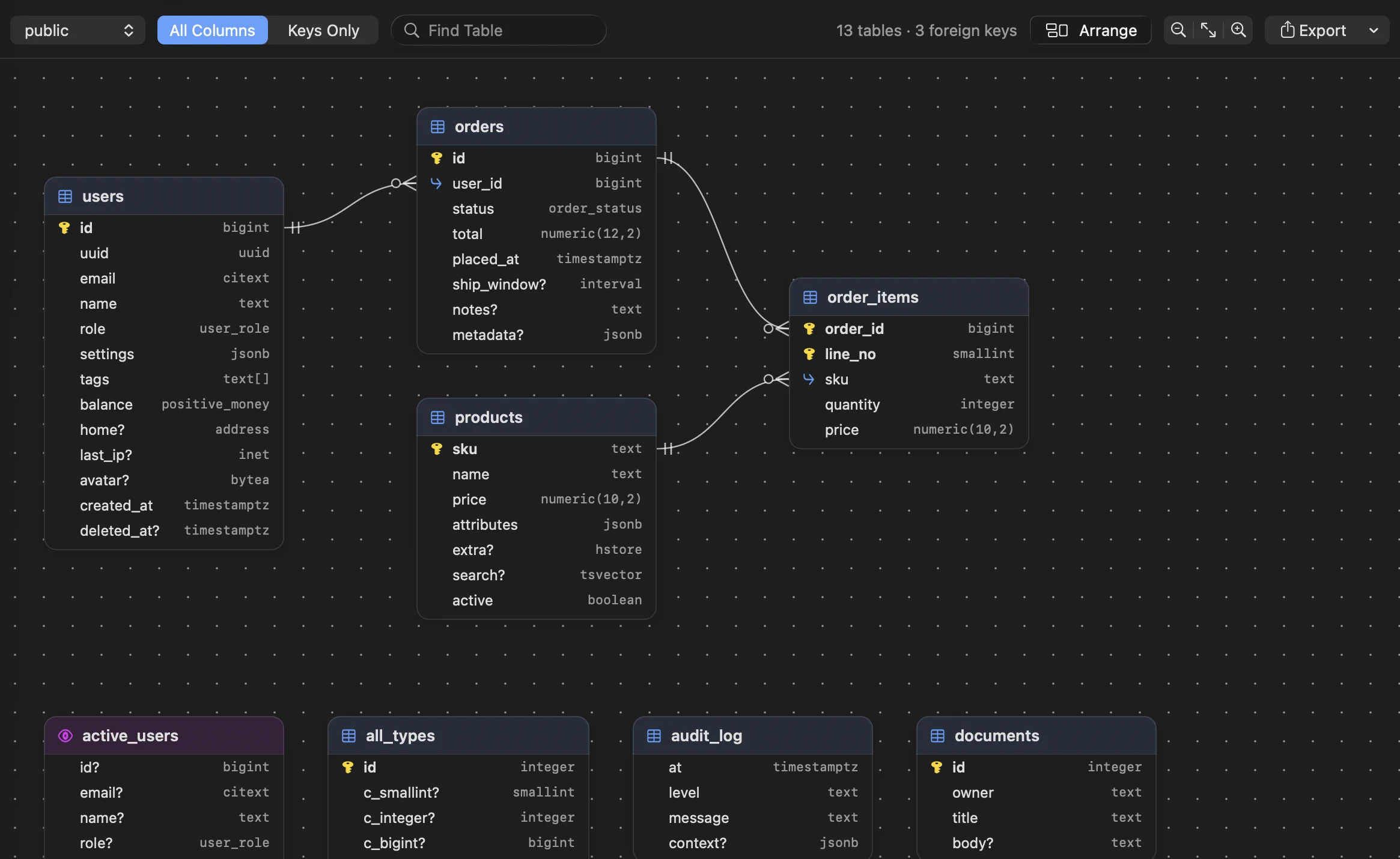
The schema, drawn
An ER diagram laid out from the foreign keys, every column typed and every key marked. Export it as an image, a PDF or Mermaid for your README.
Private by design
No telemetry
No analytics, no tracking, no phoning home. Crash reports stay on your Mac unless you attach them.
Keys in your Keychain
Passwords and API keys live in your Keychain, never in files or logs.
AI only if you ask
The assistant uses your own Anthropic key, sends the schema and never rows, and shows each request before it goes.
Free
No account to create and no trial to run out. Download it and connect.
Download Inlet for free
The first signed and notarized release is on its way. It will be here, free, as soon as it’s out.
Version 0.1.0 · macOS 26 Tahoe or later · Apple silicon and Intel
Free guides and tools
Questions & answers
Is Inlet really free?
Yes. There’s no account, no trial and nothing to unlock. Download it and connect.
Which databases and versions does it support?
It’s tested against PostgreSQL 14 to 18, MySQL 8.4, MariaDB 11.4, SQLite and MongoDB 8; PostgreSQL 12 and 13 mostly work. Hosted services such as Amazon RDS, Supabase, Neon and MongoDB Atlas speak the same protocols, so they connect too.
Which Macs does it run on?
Any Mac with macOS 26 Tahoe or later, Apple silicon or Intel. It’s a native app, built with SwiftUI and AppKit; there’s no browser engine inside.
Can I bring my connections from TablePlus?
Yes. Import reads TablePlus’s saved connections, a .env file’s database URLs, ~/.pgpass and pg_service.conf. You choose which ones to add, and their passwords go to your Keychain.
Is it safe to connect to production?
That’s what it’s built for. Production connections open read-only, edits are staged until you commit, each update checks the row hasn’t changed underneath you, and dangerous statements ask for confirmation.
Does anything about my data leave my Mac?
Only what you send to your own databases. There’s no telemetry. The AI assistant is off unless you add your own Anthropic API key, sends your schema and never your rows, and shows you each request before it goes.
How does it update?
It updates itself: each update is signed and checked against Inlet’s public key, and Inlet asks before it looks for one. It tells Homebrew so, too, so brew upgrade leaves it to Inlet.